Load up your lists
Watch the video or follow the steps below to load your lists. This takes a little time but will save you hours in the future!
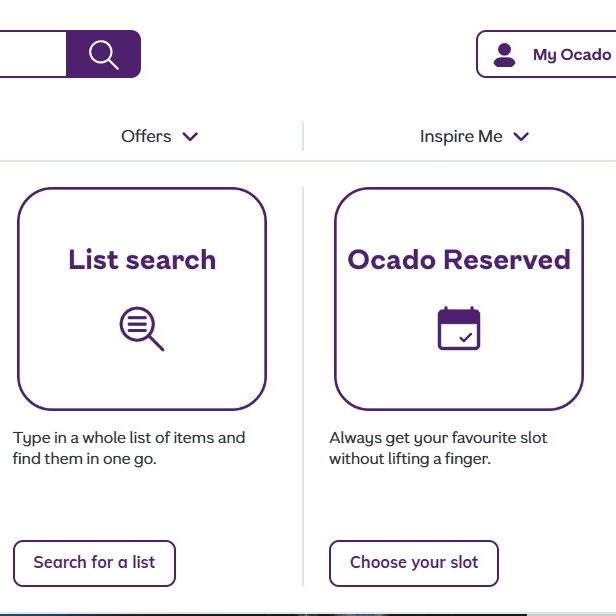
Step 1
Log into Ocado.
Click on 'Easy Shopping'
Select 'List Search'
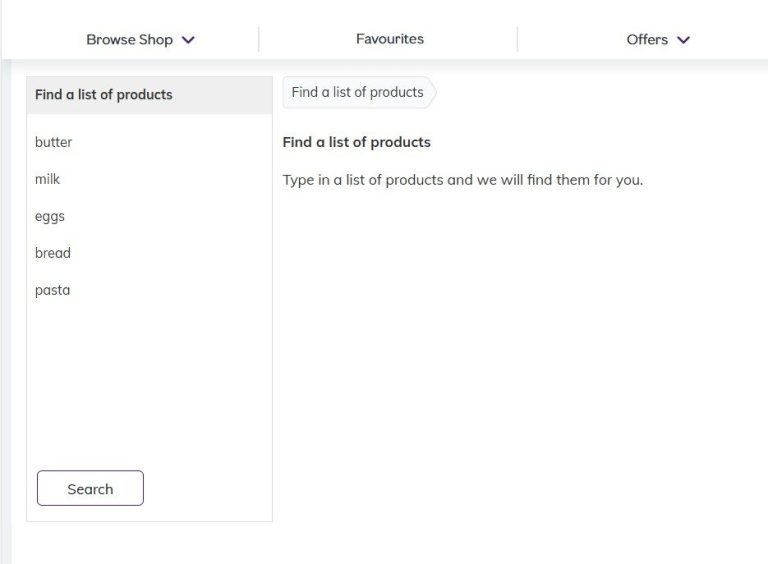
Step 2
Copy and paste your shopping list into the 'Find a list of products' box.
I have not included quantities in the full lists as it is unable to search for them.
Click 'search'
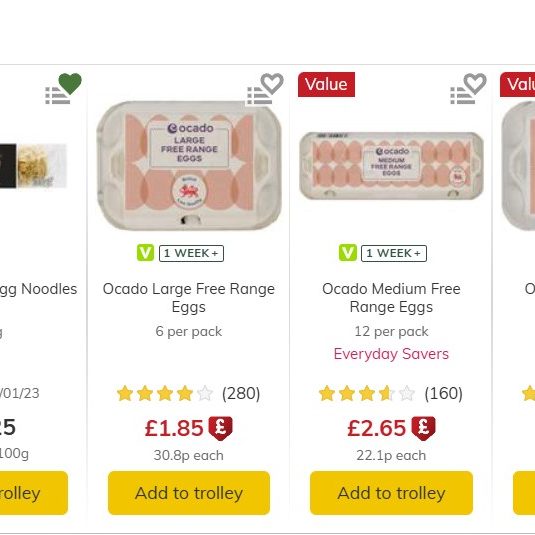
Step 3
Go through the products the list has found and select the ones you want. Here you can choose price, quantity etc.
Click on 'Easy Shopping'
Select 'List Search'
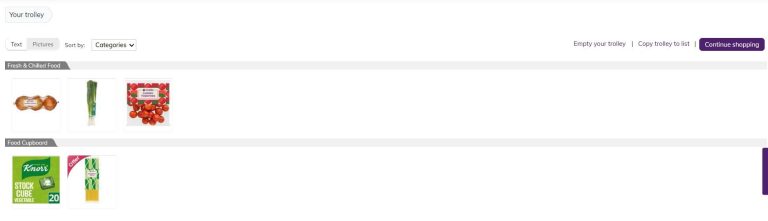
Step 4
View your trolley and check your shopping.
Click 'Copy Trolley to List' in the top right hand corner. This is very important as this will save your list so you can re-order it again.
Step 1
Log into Ocado.
Click on 'Easy Shopping'
Select 'List Search'
Step 2
Copy and paste your shopping list into the 'Find a list of products' box.
I have not included quantities in the full lists as it is unable to search for them.
Click 'search'
©Copyright. All rights reserved.
We need your consent to load the translations
We use a third-party service to translate the website content that may collect data about your activity. Please review the details in the privacy policy and accept the service to view the translations.